

Designing a comfortable living space with the television as the focal point has been a challenge for homeowners for some time. Exploring the following TV stand ideas can help. These furniture pieces don't just provide somewhere to support your TV screen. Instead, they are integrative parts of your living room and need to remain in proportional harmony with the rest of the space while maintaining viewing comfort.
A key benefit of modern design is that most media consoles have evolved well beyond the wood boxes that used to dominate the industry. Today's range of options is modular and extendable, with floating wall-mounted consoles that maximize floor clearance. Because of this, we recommend treating your TV stand as both a practical piece of furniture and a design anchor in your room. Make sure you read to the end of this guide because we're going to discuss:
- Various TV stand ideas by room type
- The best TV stands currently available in the market
- Some material construction options you might want to consider
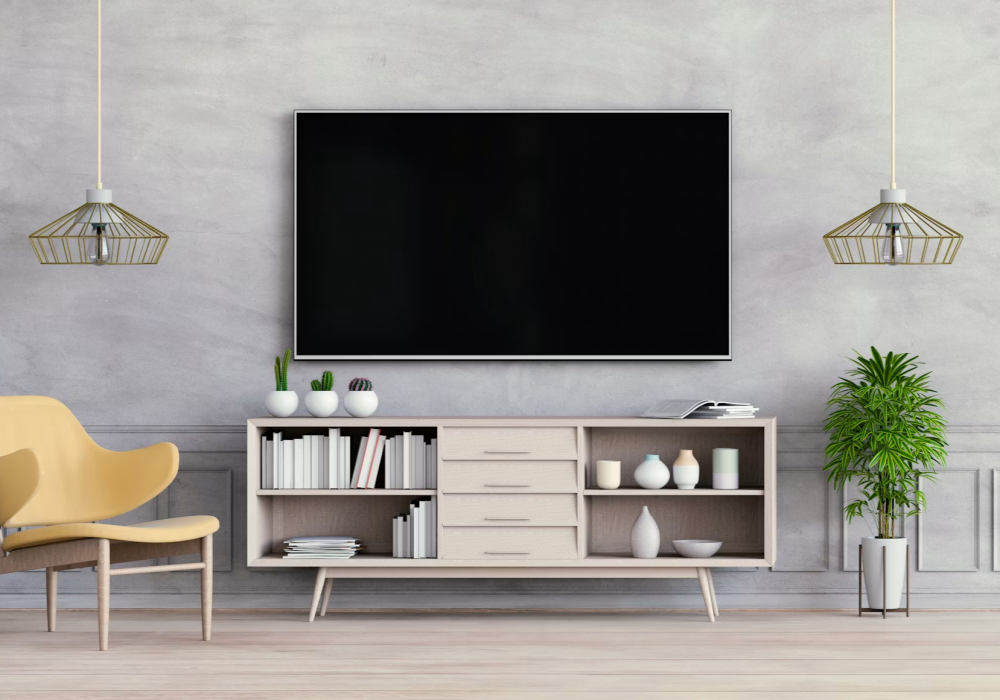
Source Unsplash - CC0 license
TV stand layout ideas
The following table provides a detailed breakdown of various TV stand layout ideas that you might want to consider depending on your room type or scenario. Here is everything you need to know:
Room Type / Scenario | Recommended Console Style | Key Layout & Structural Benefits | Primary Styling Focus |
Small Apartment / Studio | Wall-mounted floating console or sleek narrow-depth unit | Preserves visible floor space, reduces visual weight, eliminates tripping hazards in narrow walkways | Minimalist decor: asymmetrical greenery, slim soundbar, subtle textured vases |
Large Feature Wall | Low-profile, extra-wide credenza or modular extended unit | Grounds expansive vertical space, prevents screen isolation, provides balanced horizontal proportions | Layered gallery art around the screen, sculptural ceramics, books |
Open-Plan Living Room | Dual-sided finished console or extendable low-board | Acts as a room divider, maintains open sightlines across adjacent kitchen/dining areas | Clean top surface, concealed rear cable ports, low-profile accessories |
Storage-Heavy / Family Room | Closed-door sideboard TV cabinet with adjustable interior shelving | Hides gaming equipment, board games, power bricks, and messy cord clusters behind solid doors | Durable decor accents, framed family prints, cord-free tabletop presentation |
Solutions for different scenarios and situations
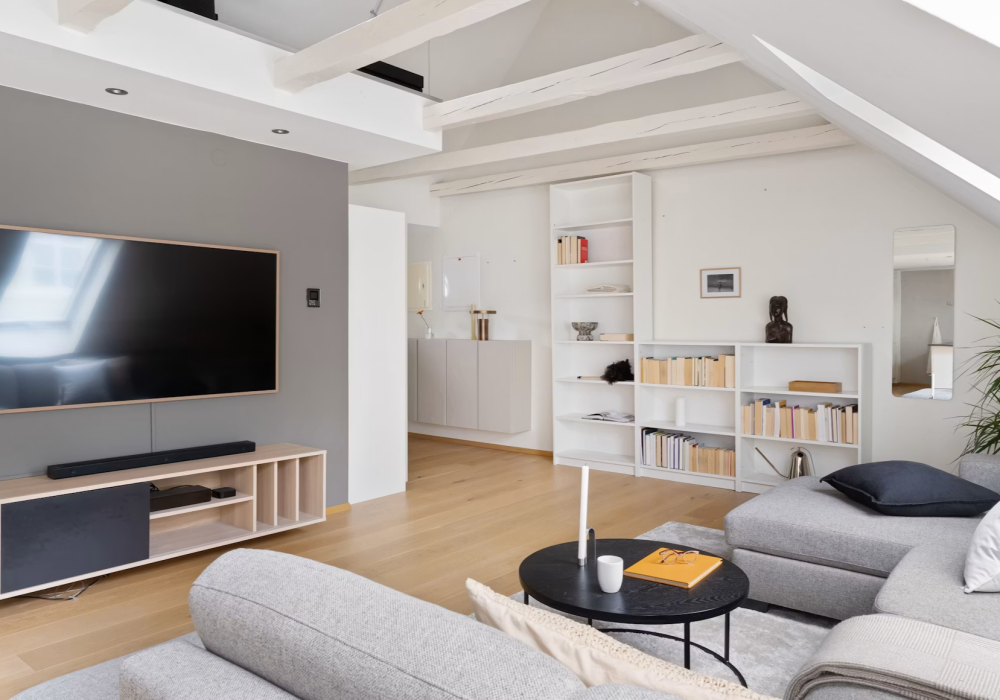
Source Unsplash - CC0 license
The TV stand solution you choose will depend on your specific scenario. In this section, we run through some situations you might find yourself in and the type of TV stand you should choose based on your circumstances.
Open-plan living
If you have an open-plan living layout (perhaps because you have a kitchen/diner space that bleeds into your lounge), your furniture needs to define your functional zones. Since you don't have any walls in this situation, you're best served by a low-profile media console that runs along a perimeter wall and serves as an anchor for the seating zone. You should aim to get your sofas to face away from the kitchen entrance. Pair a back-finish TV stand with a low room divider to keep sightlines clear.
High capacity family media center
If you have a high-capacity family media center, you'll probably need more storage space for media items like streaming devices, gaming consoles, and remote controls. The best options for this use case are consoles that come with soft-close drawers, slatted, or fluted cabinet doors. These often provide plenty of internal storage arrangement options, plus bespoke cable management, so you can keep wires under control.
Large accent walls
For large accent walls, a standard 50-inch (1270 mm) TV console often appears undersized. Designers generally recommend that the console span the entire width of the accent wall to ensure it complements the room's artwork and maintains a cohesive aesthetic.
If you can't do that, make sure the console table extends at least 6 to 12 inches (152 to 305 mm) from the edge of the TV. This should create more balance, even if you can't fully extend it to cover the entire space.
Small apartments
Finally, in small apartments, you'll need to take a completely different approach. In tight spaces, every square inch of floor space is important, so you'll want some sort of floating media console mounted directly on wall studs. These are the most minimalist options and allow you to maintain your existing floor space. You can use the space underneath the floating console for things like robot vacuum cleaners or even decorative items.
Functional viewing heights and ergonomics
While aesthetics are important, prioritizing a TV stand's design over visual comfort can be a significant mistake. Improper placement may result in neck or eye strain, detracting from the overall viewing experience.
To fix this problem, you should follow guidelines established by the Society of Motion Picture and Television Engineers (SMPTE). These state that the ideal center of the screen height should be 42 inches (1067 mm) from the floor. All you need to do is measure the vertical distance from the floor to your eyes while sitting on the couch and feeling relaxed. You should find that your eyes are between 40 and 42 inches (1016 and 1067 mm) off the floor on regular seating. Adjust the final center of the screen position for your television up or down slightly.
Calculating TV stand height
Calculating your TV stand height is an extension of determining the optimal viewing level. To ensure the center of the screen aligns with your seated eye level, use this formula: subtract half of the TV's vertical screen height from your measured seated eye height (the distance from the floor to your eyes while relaxed on the sofa).
For instance, if you have a 65-inch (1651 mm) television with a screen height of approximately 32 inches (813 mm), you would subtract 16 inches (406 mm) from a 42-inch (1067 mm) seated eye level. This calculation indicates that the top surface of your TV stand should be approximately 26 inches (660 mm) high.
Most televisions maintain a consistent distance between their stand and the center of the screen. This variable typically remains constant unless the TV features a unique base design with additional clearance.
Check distance and viewing angles
Lastly, think about the distance and viewing angles. Standard home theater guidelines mean that you need to multiply the diagonal measurement of your TV screen by 1.2 to 1.5 to determine how far you should sit from your sofa. For example, a 55-inch (1397 mm) screen should be 5.5 to 7 feet (1.7 to 2.1 m) distant from your sofa. Meanwhile, an 85-inch (2159 mm) screen should be 8.5 to 9.5 feet (2.6 to 2.9 m) distant.
Mastering cable management
Part of the motivation for buying a TV stand is to master cable management and technology storage. But how can you do this effectively?
Use in-wall routing
If you have the option with your TV stand, explore the idea of using in-wall routing. In this situation, cables literally pass behind your walls so that they are out of sight. This is easiest if you have drywall installations behind your TV. Sometimes you can't do this, so you will need to use surface-mounted wire covers. These are helpful if you're renting or dealing with solid brick or concrete walls and allow you to contain all of your visible wiring in a single channel.
Use Media Cabinet internal management features
You'll notice as you explore Homary's media console collection that many pieces include cable management and rear pass-through options. Ventilated back panels can also be useful if you have a lot of electronics that are at risk of overheating, especially if you live in a warm climate.
Styling your TV console
In some situations, you may also want to style your TV console. This is where you include elements around the main TV screen to make the console more attractive, similar to what you might see in an interior design magazine.
Try to avoid using symmetrical arrangements, like putting a vase on both sides of your TV screen. Most designers now prefer asymmetrical designs and the "rule of odds” (adding 3 or 5 elements to the space).
For example, you might want to put a vase on the left, a lower-height book stack on the right and a smaller object on the far right of the console. While it might sound strange, these types of setups create balance.
When decorating your TV console, make sure you use ideas that complement your countertop. For example, you might want to use organic elements that incorporate natural greenery or textured ceramics and stoneware.
The best TV stand ideas from Homary
Consider these curated TV stand options from Homary to enhance your living space.
Crator Wood Modern Extendable TV Stand Black and Gray Media Console with 3-Drawers
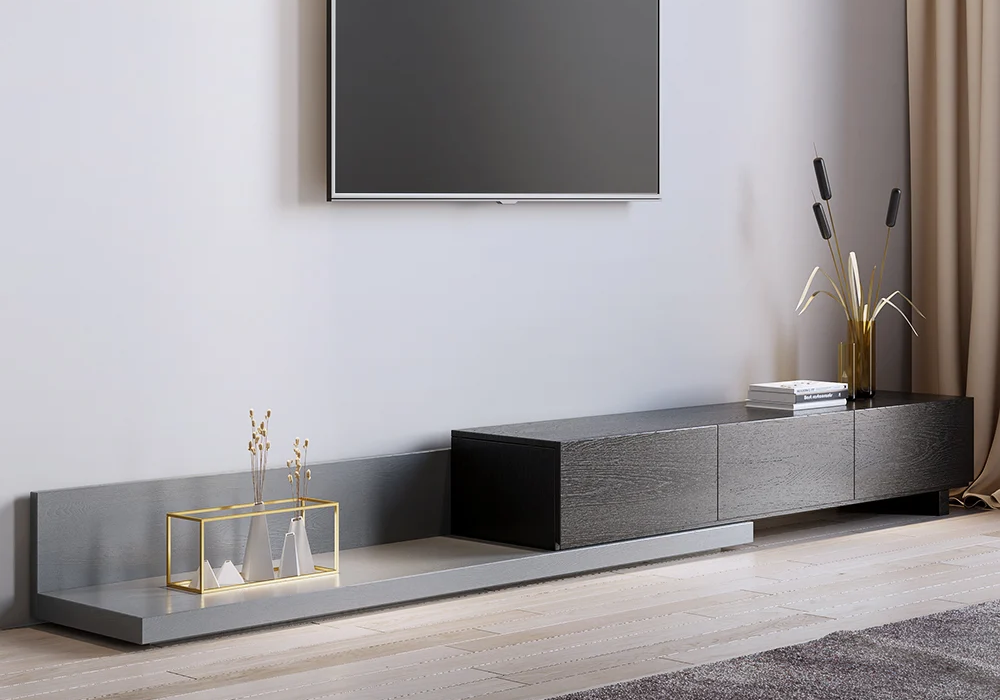
The first option you might want to consider is our Crator Wood Modern Extendable TV Stand Black and Gray Media Console with 3-Drawers. This stand has an asymmetrical design combined with practical flexibility, extending from 78.7 inches (1999 mm) to 118.1 inches (3000 mm) to fit your space and accommodate oversized TVs. The drawers are useful for organizing remotes and games, and the sleek exterior makes it perfect for modern contemporary settings.
Aro Modern Black Wood TV Stand with 2 Drawers & 4 Doors Media Console for TVs Up to 80”
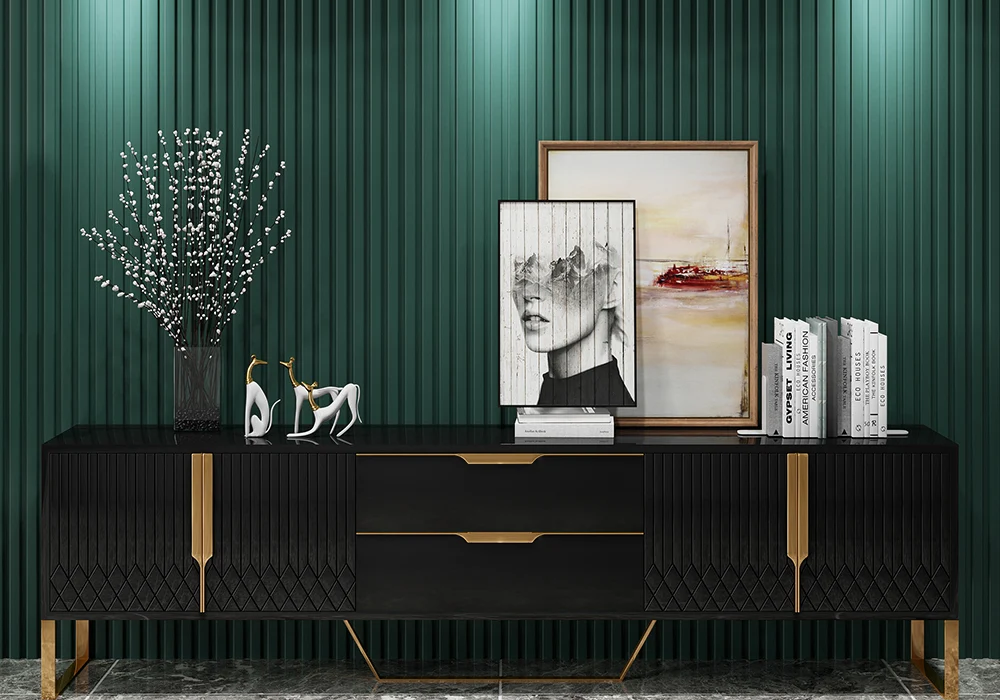
The Aro Modern Black Wood TV Stand with 2 Drawers & 4 Doors Media Console for TVs Up to 80” (2032 mm) has a different feel. This stand almost looks like a premium sideboard or hallway cabinet, but it's perfectly set up to accommodate TVs of all sizes. It has stainless steel legs, hidden storage options, and a highly stylish, functional design with cable management integrated into the specification.
Chift Modern Black TV Stand 4-Door 2-Drawer Luxurious Media Console for TVs Up to 85"
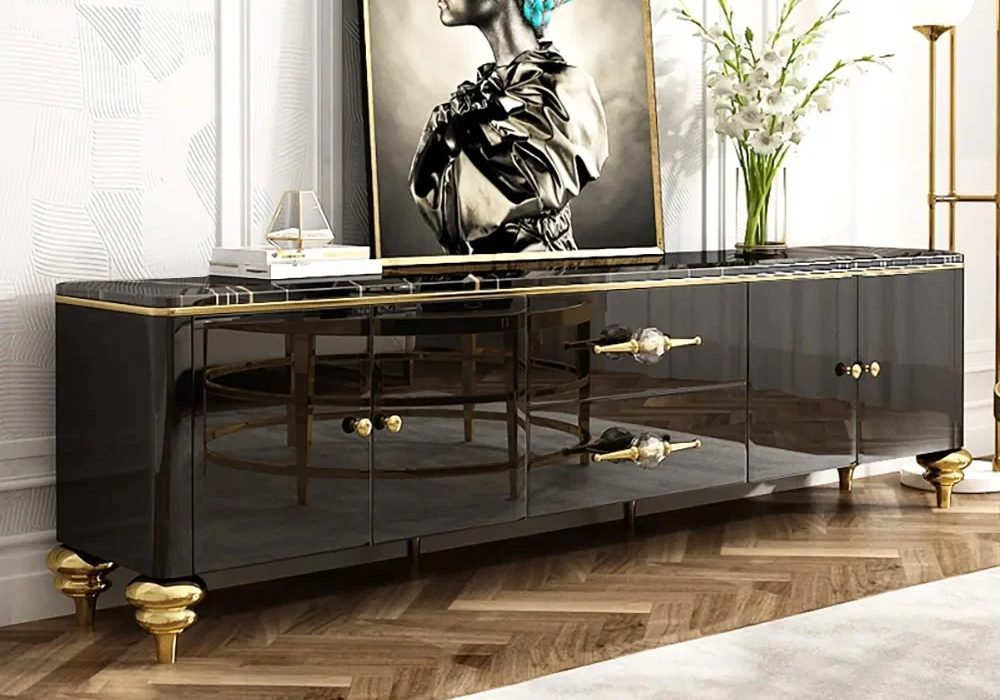
For a similarly impressive look, you might want to opt for the Chift Modern Black TV Stand 4-Door 2-Drawer Luxurious Media Console for TVs Up to 85" (2159 mm). This unit features stainless steel framing, marble-patterned surfaces, and gold handles. There are four cabinets for maximum storage, and the leg assembly only takes about 10 minutes. You'll also find thick tempered glass shelves, which are ideal for displaying collectibles while reducing the risk of accidental impacts.
Pinkle Modern Extendable TV Stand White & Black with Storage & Bookshelf & Drawer
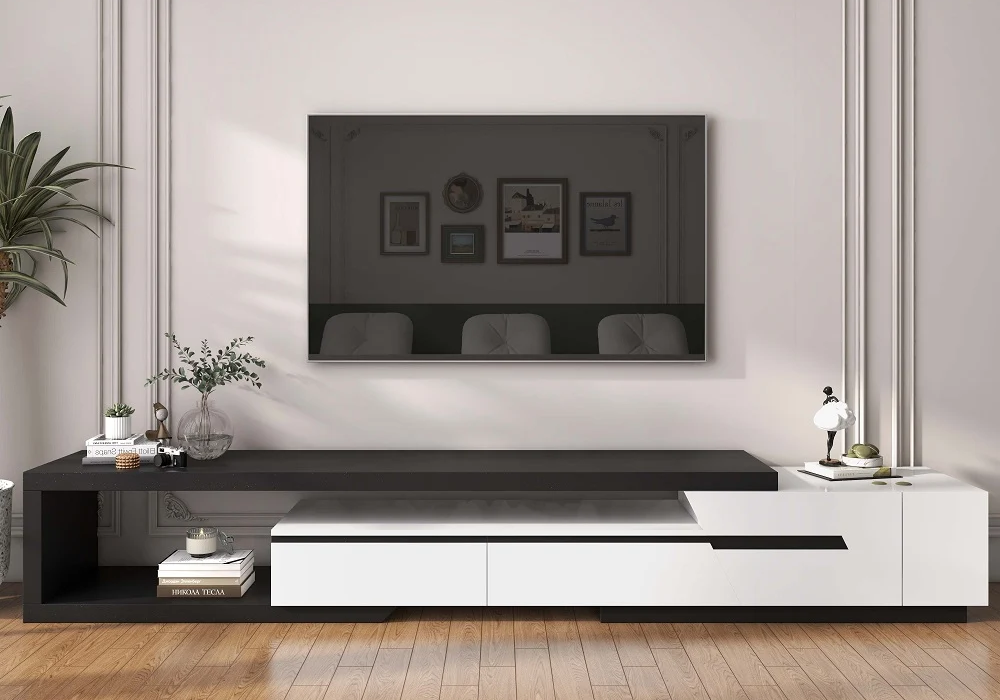
If you are looking for something ultra modern, you should opt for the Pinkle Modern Extendable TV Stand White & Black with Storage & Bookshelf & Drawer. This stand is extendable from 79 inches (2007 mm) to 108 inches (2743 mm) and can be custom-fit to any wall, depending on your requirements. It's made of industrial-grade wood and holds a TV with high stability. It also comes with tool-free sizing, which is a nice added convenience.
Making the right TV stand purchase decision: Some helpful tips
To ensure you select the ideal TV stand for your living room, please follow these essential procurement guidelines:
- Always measure your TV stand base. Don't rely on the diagonal screen size measurements, like 65 inches (1651 mm), because they don't measure the horizontal length of your TV.
- Verify your depth requirements, ensuring the cabinet is between 15 and 18 inches (381 and 457 mm) deep and sufficient for your base or a particular brand or model of TV.
- Check the TV stand's weight capacity. Large televisions can weigh a lot, even if they're thin, so ensure that they are within the manufacturer's specifications.
- Confirm ventilation and ensure there's sufficient airflow at the rear of the TV stand.
FAQs
How do I choose a TV stand in a room with a corner layout?
For rooms with limited space or corner placements, select a TV stand specifically engineered with a tapered back. Alternatively, consider a compact floating console or an adjustable articulating arm mount, which allows you to precisely angle the screen toward your seating area for optimal viewing ergonomics.
How can I hide my cords if I can't cut into my wall?
If you really can't cut into your wall, you can hide your cords by using a paintable surface-mounted cable raceway.
Can I put a TV stand in front of a window?
You can do this, but it's generally recommended that you avoid doing so. Direct light behind the TV can create a harsh glare that can make viewing uncomfortable. If there's another place you can mount your TV in the room, choose that instead.